

DHH Faculty
How to add a professional expert to Canvas
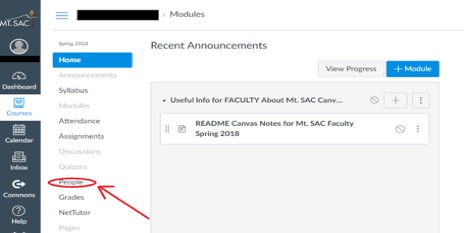
- On Canvas, the instructor will need to click "people" on the left side of the screen
adjacent to the icons while in the desired course.
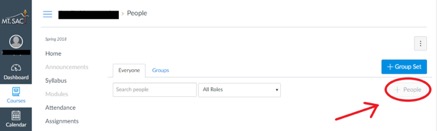
- Next, click the "+ people" button on the right hand side of the screen.
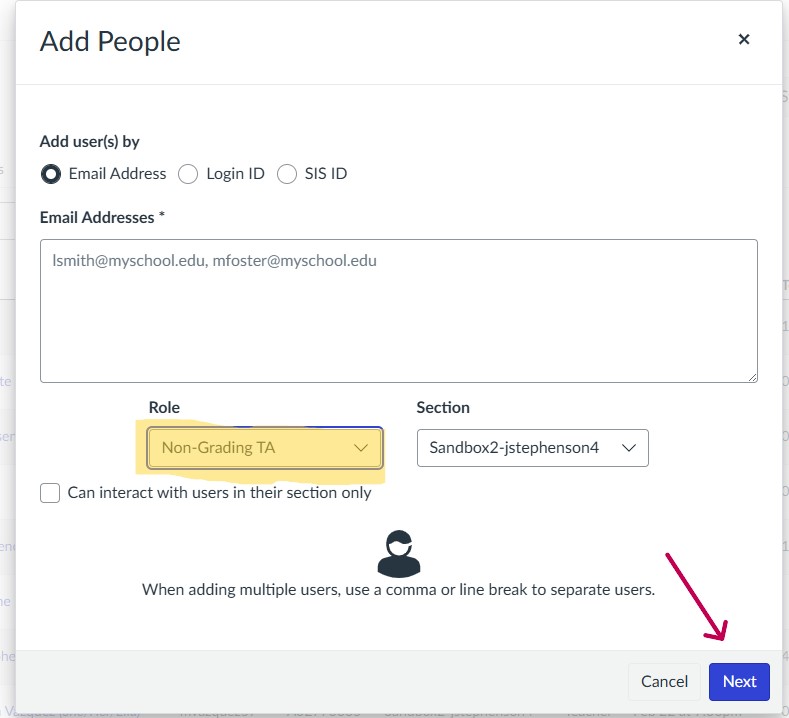
- In the text box, input your Mt. SAC email address** (personal email addresses will
not work). Then, choose the interpreter's role as "Non-Grading TA" from the drop down
menu.
- That's it. The interpreter should be successfully added!
